
Repair case study · MacBook Air M1
MacBook Air M1 won’t turn on: shorted capacitor on the audio board
- Fault: dead, won’t turn on
- Cause: failed capacitor, audio board
- Fix: component-level repair
In shortA MacBook Air M1 switched off during use and wouldn’t turn back on. A USB-C meter showed the charger stuck at 5V with no current. Disconnecting the audio board brought 20V back, which pointed to a fault on that board. Under the microscope we found a failed capacitor. We replaced it, and the MacBook now powers on and charges normally, with its audio working as well.
- No fix, no fee
- Free evaluation
- UK-wide mail-in
The fault
The customer was using their MacBook Air M1 when it suddenly switched off. After that it wouldn’t turn on at all: no response to the power button and no sign of charging.
First check: what the charger is doing
Our first step with a MacBook that won’t turn on is a USB-C power meter between the charger and the laptop. It shows the voltage and current the MacBook is asking the charger for.
A healthy MacBook Air M1 negotiates with the charger and moves from 5V up to 20V. This one stayed at 5V with 0A on both USB-C ports. It wasn’t requesting proper power at all.
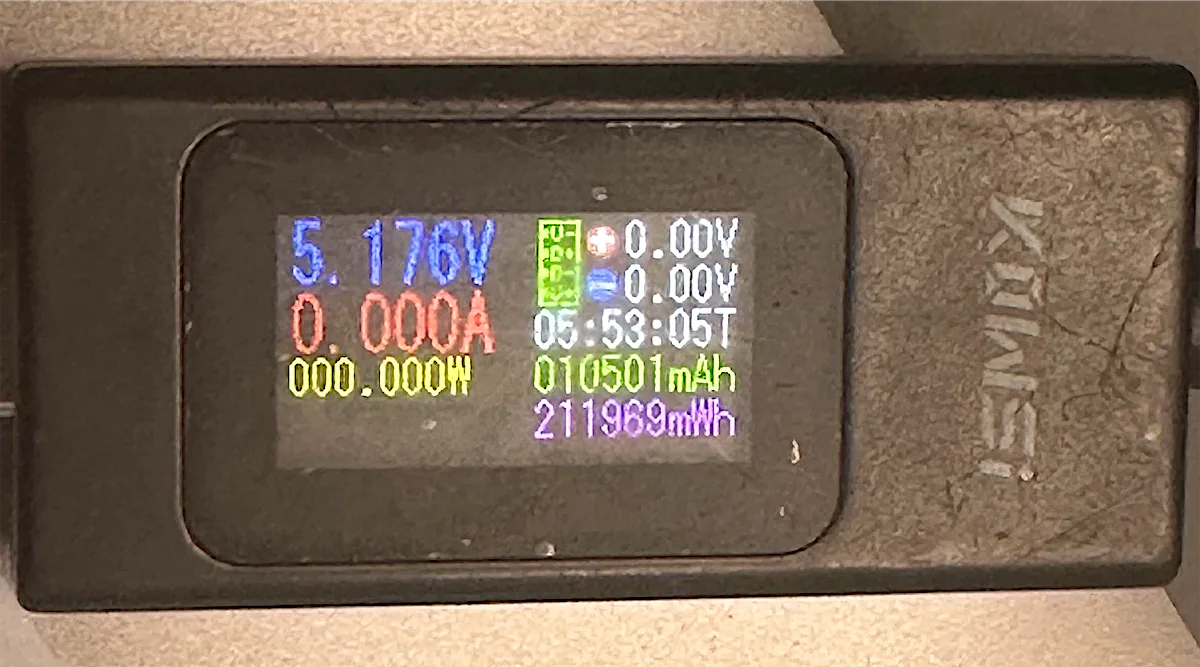
That reading has several possible causes, but one of the most common is a short on one of the board’s power lines, which stops the MacBook from starting up and requesting 20V.
Narrowing it down: disconnecting the audio board
A short can be on the main logic board or on one of the smaller boards connected to it. Before taking out the logic board, we disconnected the small audio board.
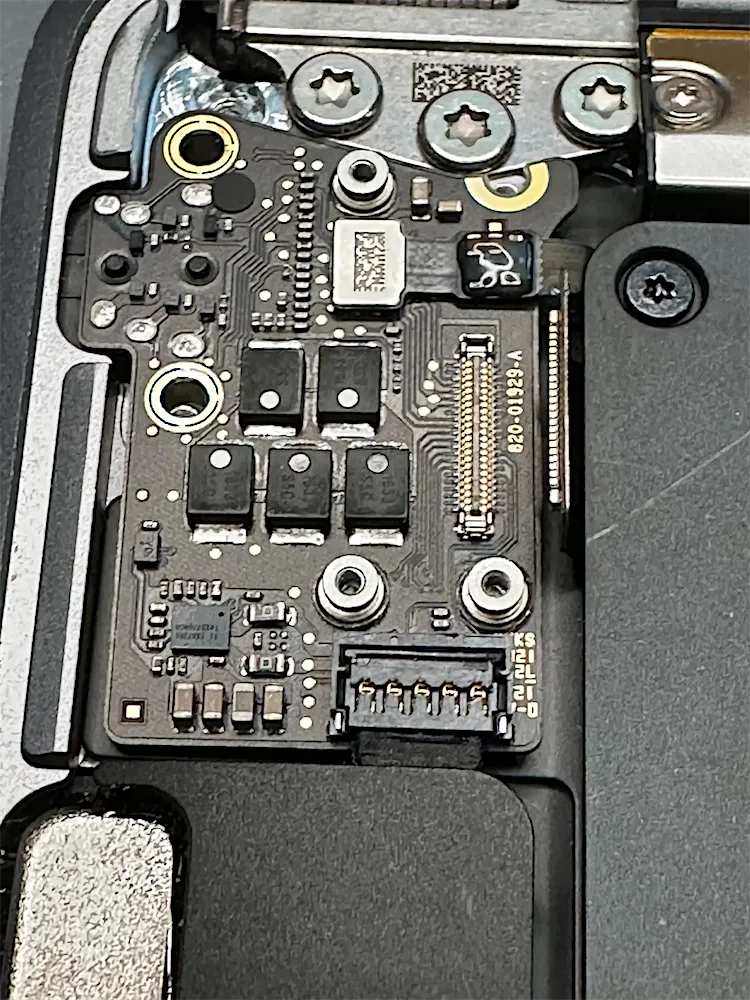
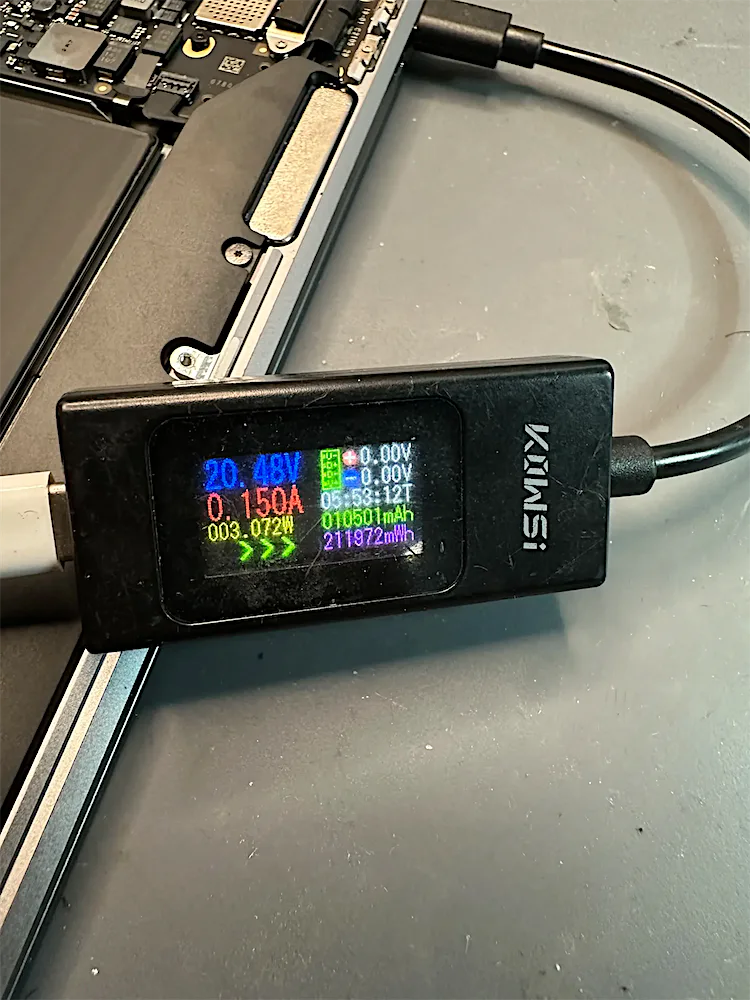
That told us the fault was on the audio board, not the logic board, and saved the customer the cost and risk of a logic board repair.
Finding the faulty part
A common way to find a short is to feed a low voltage into the shorted line and look for the component that heats up. It works, but it puts heat and current into the board.
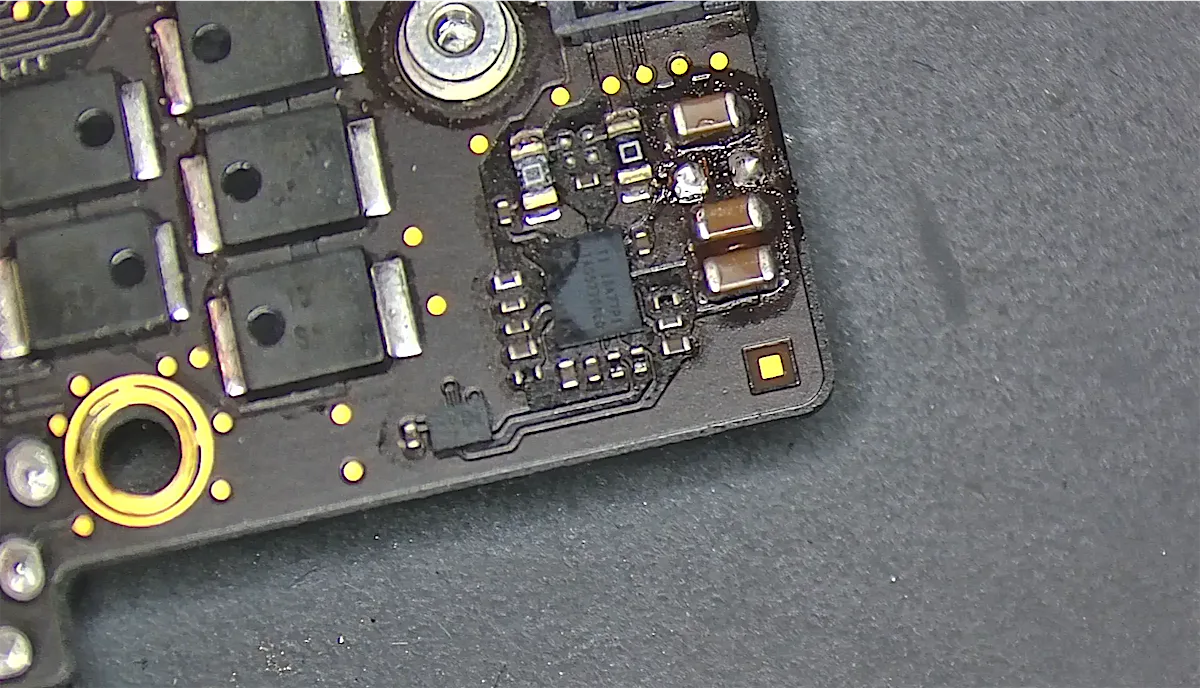
Under the microscope we found a damaged capacitor on the audio board.
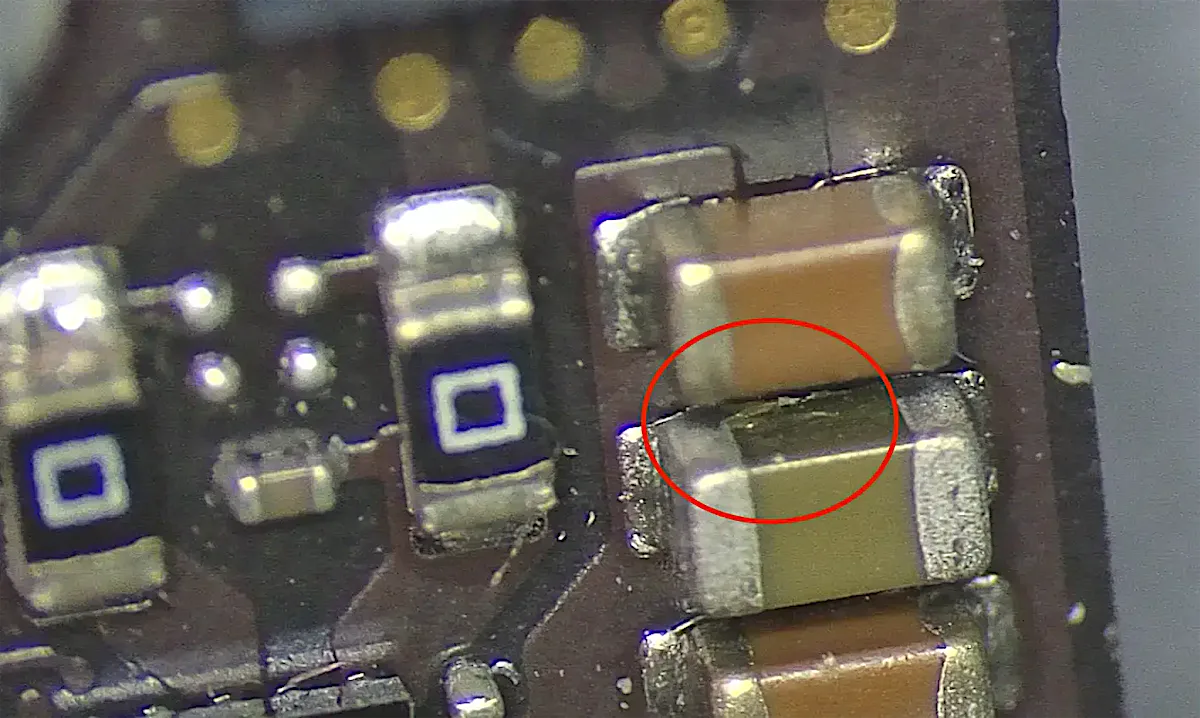
We removed it, and the short disappeared.
The repair and the result
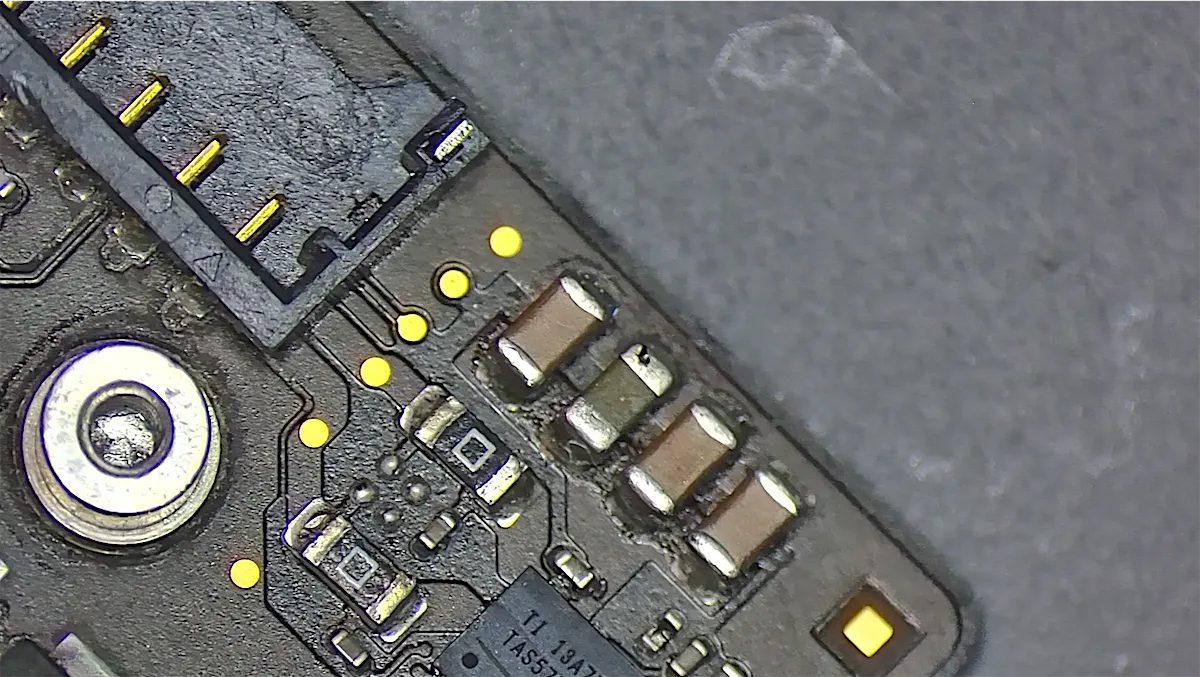
We soldered a new capacitor in place of the failed one, reconnected the audio board and tested the MacBook:
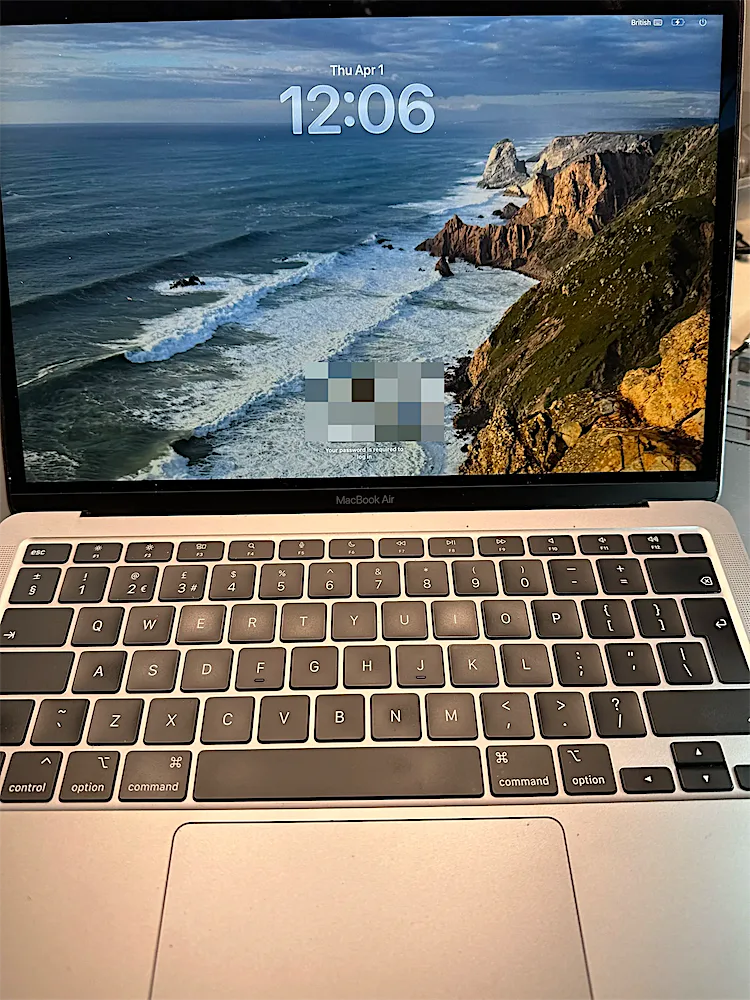
- The MacBook powers on and boots into macOS again
- It negotiates 20V and charges normally
- Audio works as well
Why replace one part instead of the whole board?
Many shops would quote for a new audio board or say the logic board needs replacing. Because we work at component level, we replaced one tiny part that cost very little. The customer kept their original boards and their data, and paid much less than for a board replacement.
MacBook Air won’t turn on?
It’s often repairable. We diagnose MacBook power faults at component level. Every device gets a free evaluation, we work on a no fix, no fee basis, and you can post your MacBook to us from anywhere in the UK.