
Repair case study · ASUS ROG Zephyrus M16
ASUS ROG Zephyrus M16 not detecting 32GB RAM after an internal cleaning service: CPU reball repair
- Fault: 32GB DDR5 stick not detected
- Cause: liquid metal under the CPU
- Fix: CPU removed, reballed and soldered back
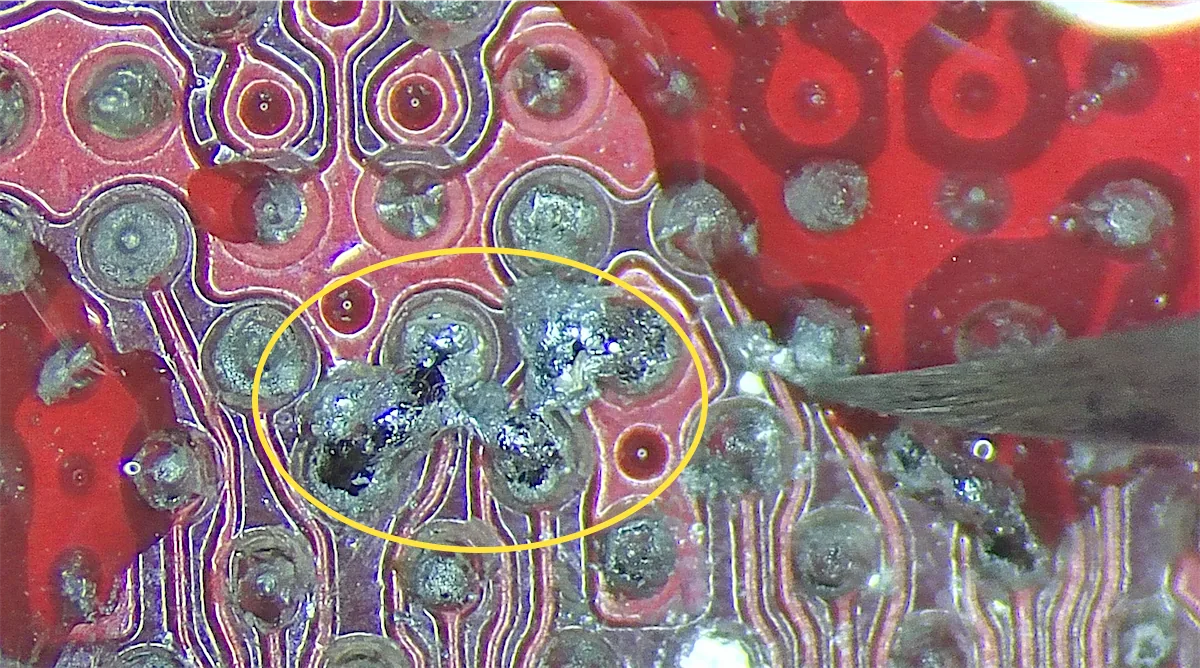
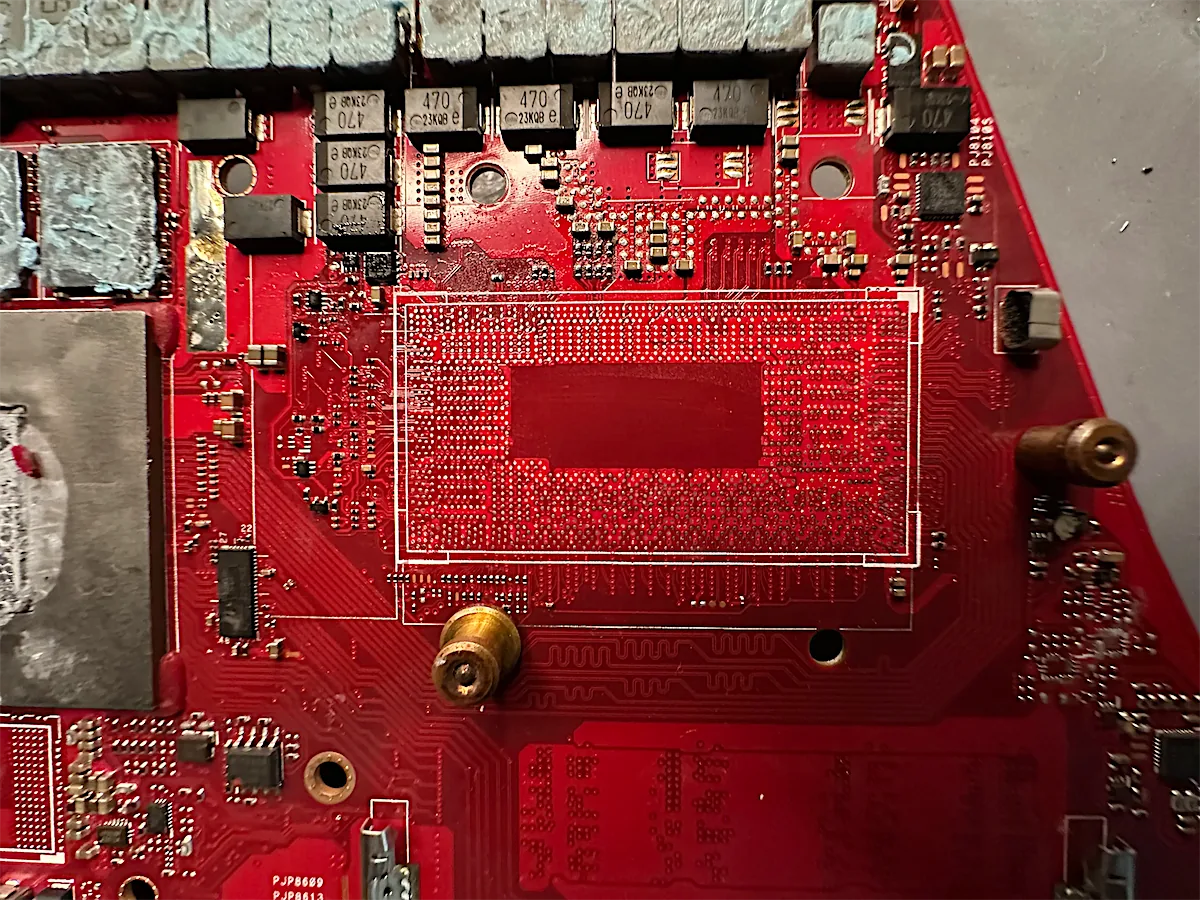
In shortA Zephyrus M16 stopped detecting its 32GB DDR5 stick after an internal cleaning service at another shop. A second shop confirmed the stick was fine but couldn’t find the fault. We found liquid metal under the CPU, where it had dissolved four solder balls and was bridging the contacts. We removed the CPU, reballed it and soldered it back, and the laptop detected its full 40GB again.
- No fix, no fee
- Free evaluation
- UK-wide mail-in
The problem
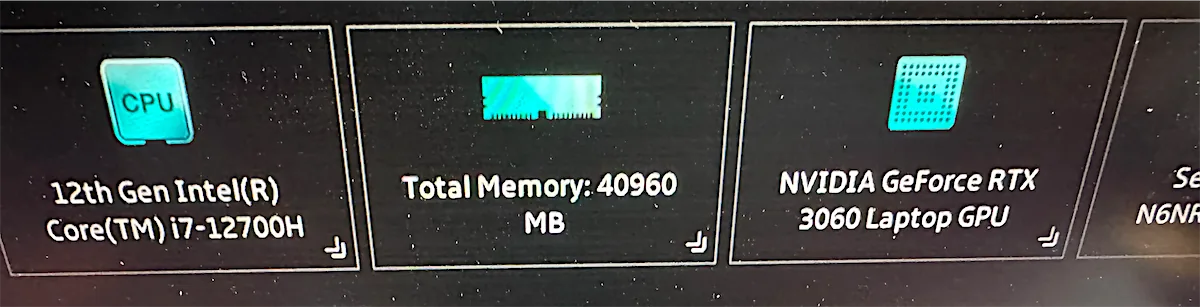
A customer brought us their ASUS ROG Zephyrus M16 gaming laptop, with an Intel Core i7-12700H and an RTX 3060. It had worked perfectly with 40GB of memory: 8GB built into the motherboard plus a 32GB DDR5 stick.
They’d paid another repair shop £150 for an internal cleaning service, which included replacing the liquid metal. After the service, the laptop would only run on the built-in 8GB, and it had also started taking a long time to start up. The shop handed back the 32GB stick and said it wasn’t working.
They took the laptop to a second shop, who tested the stick and confirmed it worked fine. So the problem had to be on the motherboard, but they couldn’t find where.
Our diagnosis
We started with the obvious checks. The RAM slot had no physical damage, and all the voltages at the slot were correct. So the fault wasn’t in the slot.
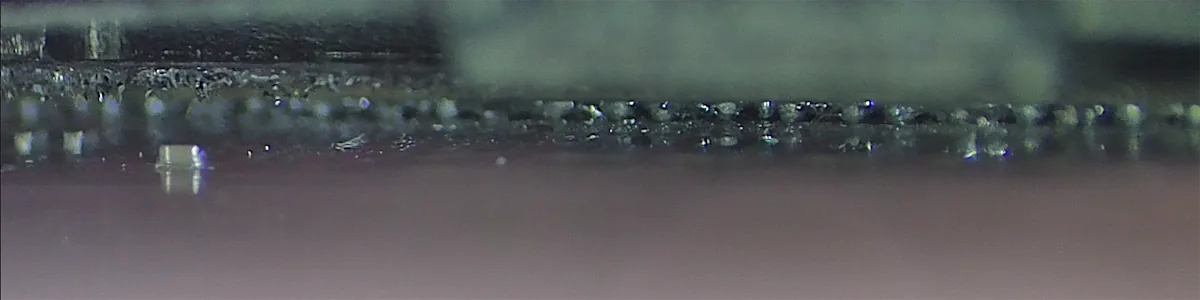
On modern laptops the memory controller is inside the CPU, so we inspected the processor next. Liquid metal had got underneath it.
The repair
- Removed the CPU from the motherboard on our BGA rework station.
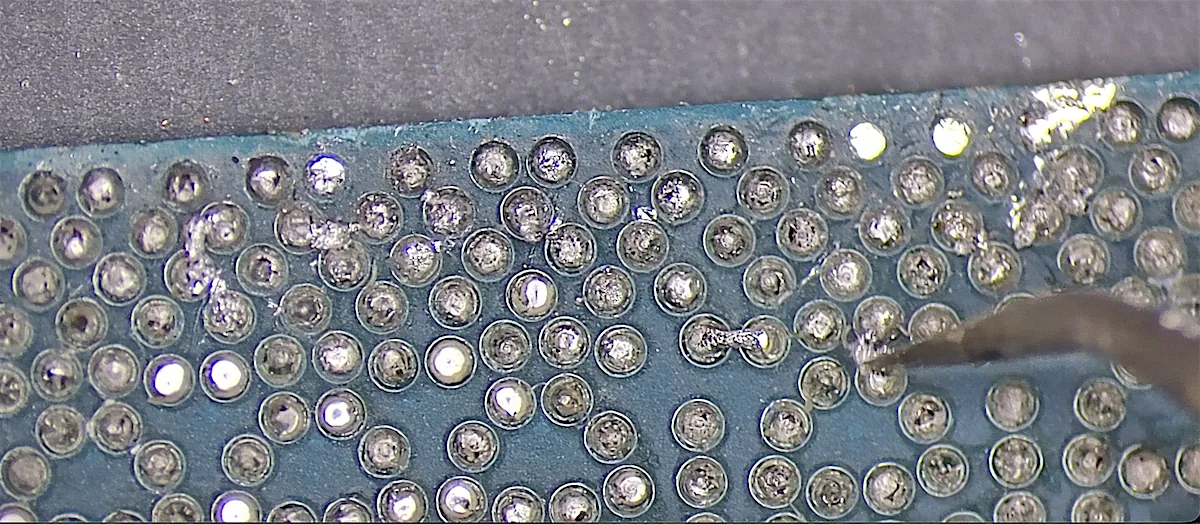
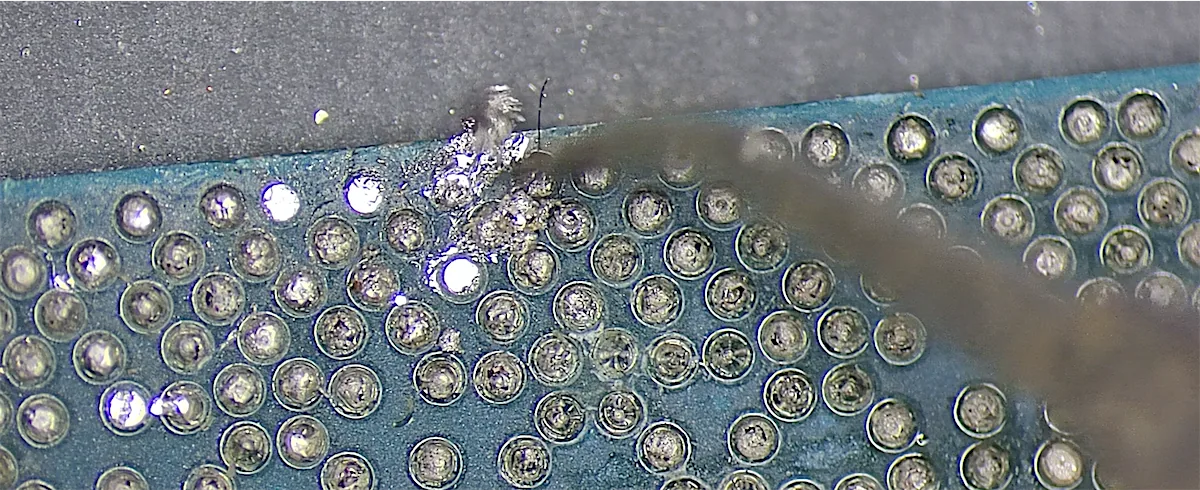
- Cleaned off all the liquid metal from the CPU and the motherboard pads.
- Reballed the CPU with new solder balls.
- Soldered the CPU back onto the board.
- Cleaned the BIOS ME region, which fixed the slow start-up.
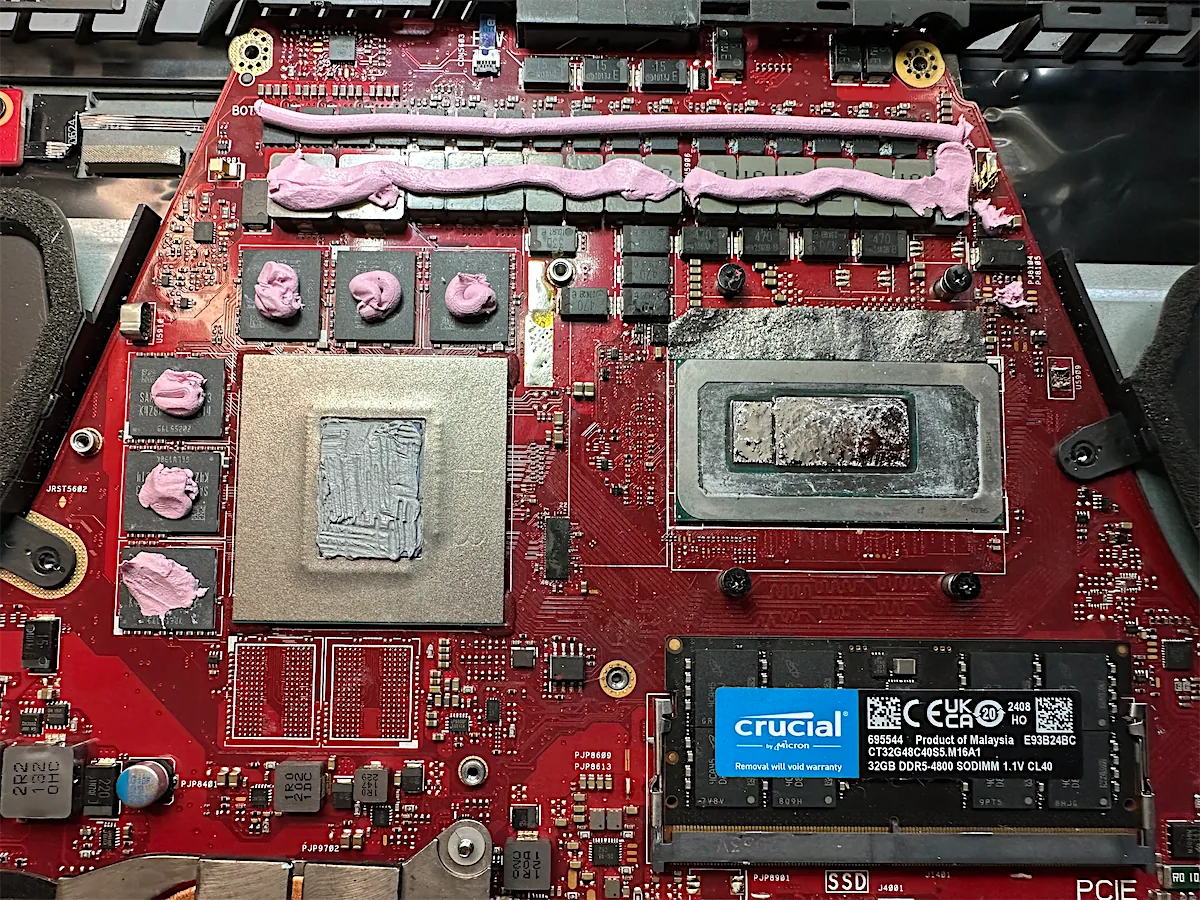
- Applied fresh liquid metal to the CPU, phase-change thermal paste to the GPU and pink thermal putty to the surrounding components, then reassembled the cooling system.
With the CPU off the board, the damage was easy to see.
The result
- The full 32GB stick is detected again, back to 40GB in total
- Starts up normally
- Working exactly as it did before the first service
Advice for gaming laptop owners
- Liquid metal needs expert handling. If it’s applied badly or spreads, it can damage the board in ways that are hard to find.
- New faults straight after a service (missing RAM, slow start-up, shutdowns, no display) can point to liquid metal under the CPU.
- “Motherboard problem, we don’t know where” doesn’t mean it can’t be fixed. Component-level diagnosis usually finds it.
Another liquid metal repair: cleaning liquid metal from an ASUS ROG Zephyrus Duo 16.
Similar problem?
We work on a no fix, no fee basis, motherboard repairs start from £120, and every device gets a free evaluation. Post your laptop from anywhere in the UK, or book free collection within 5 miles of South Woodford.